Here I’ll post some steps that shows you how to hack The Mood Weather Report from Facebook to be able to post any of the locked moods.
You must use Mozilla Firefox web browser and have Firebug Plugin installed. Get Firebug from this link. http://getfirebug.com/
The trick I recorded is not working anymore, but one of my readers made another video showing you how to post on your Wall any mood you need.
Thanks to Vlad!
1.
Go to Facebook application http://apps.facebook.com/moodweather/
You will see this page:
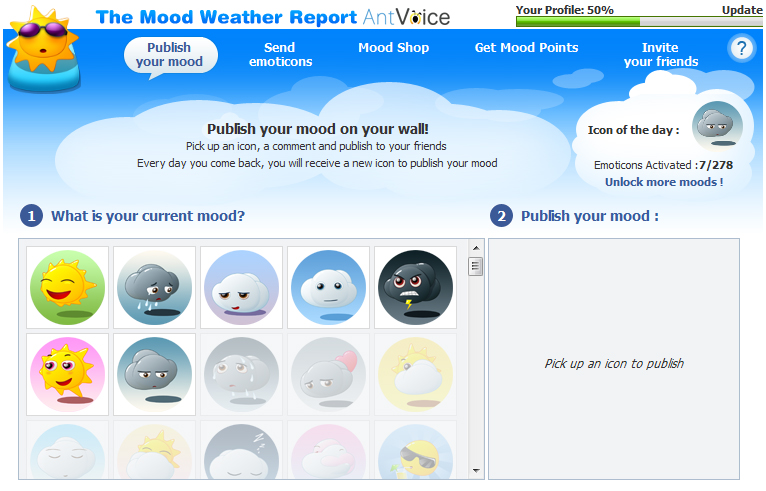
2.
Right click on the first mood and select “Inspect element“. Look at the picture below.
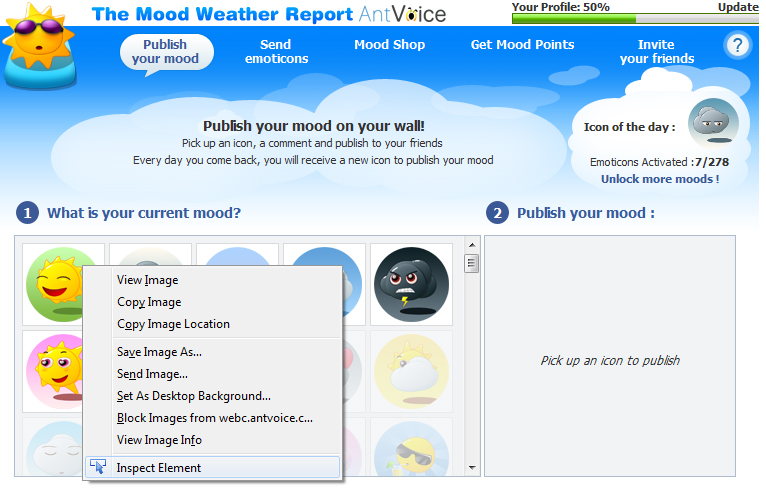
3.
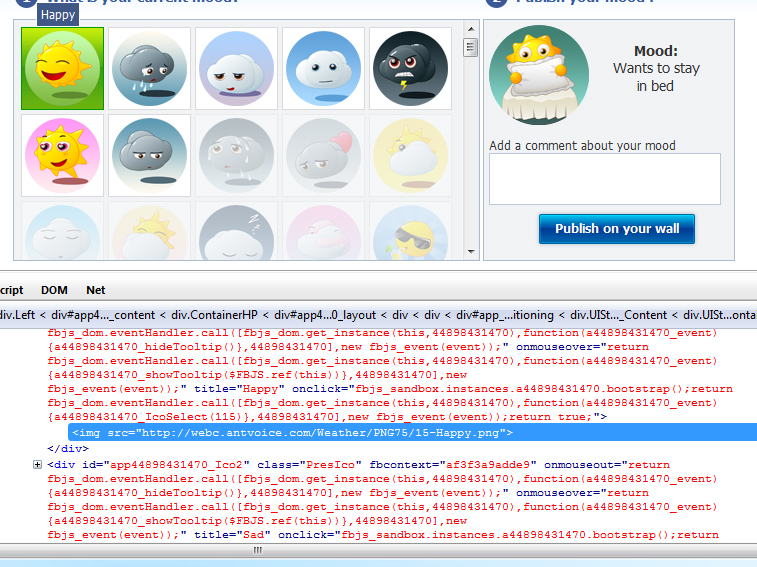
After you click “Inspect element” on first mood, Firebug window will appear and will look like this:
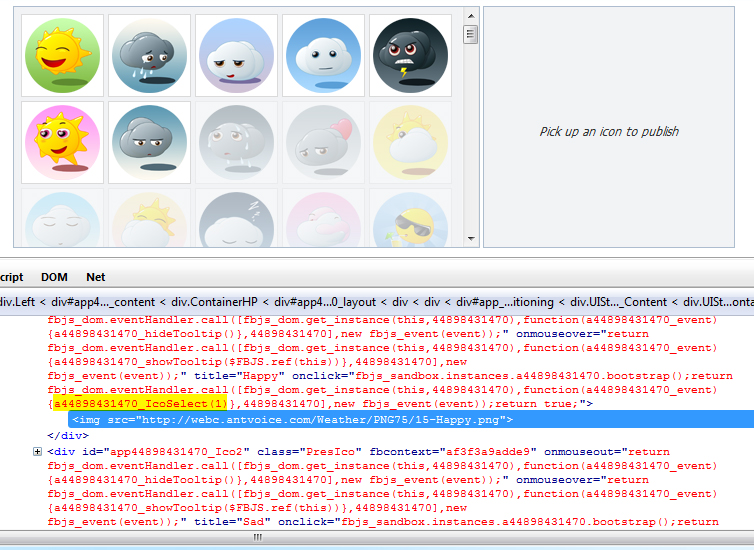
Look at the Javascript function highlighted in yellow. Click on it, and you will have to edit it’s parameter.
4.
After you clicked on that function, you search for it within that long string and modify it’s parameter with a number from 1 to 278 (maximum moods to unlock) like in this pic:
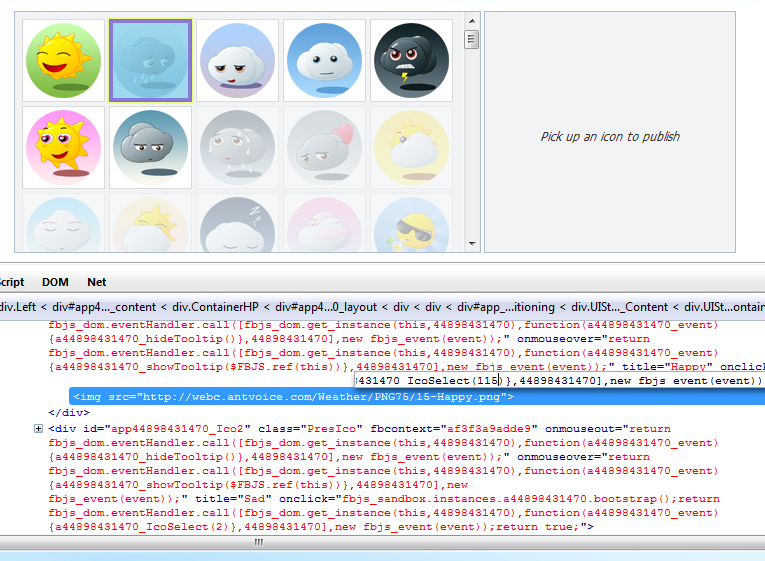
5.
If you found that function and modified it’s parameter with the number of your desired mood, then press Enter. After that click on the first mood which is “hacked” now and Thadaaa… Your desired mood appear in the box from the right and you are able to post it on your wall.
If it works for you or not please let me know. If you like this please share my link until the developers of The Mood Weather Report find it because they may fix this.